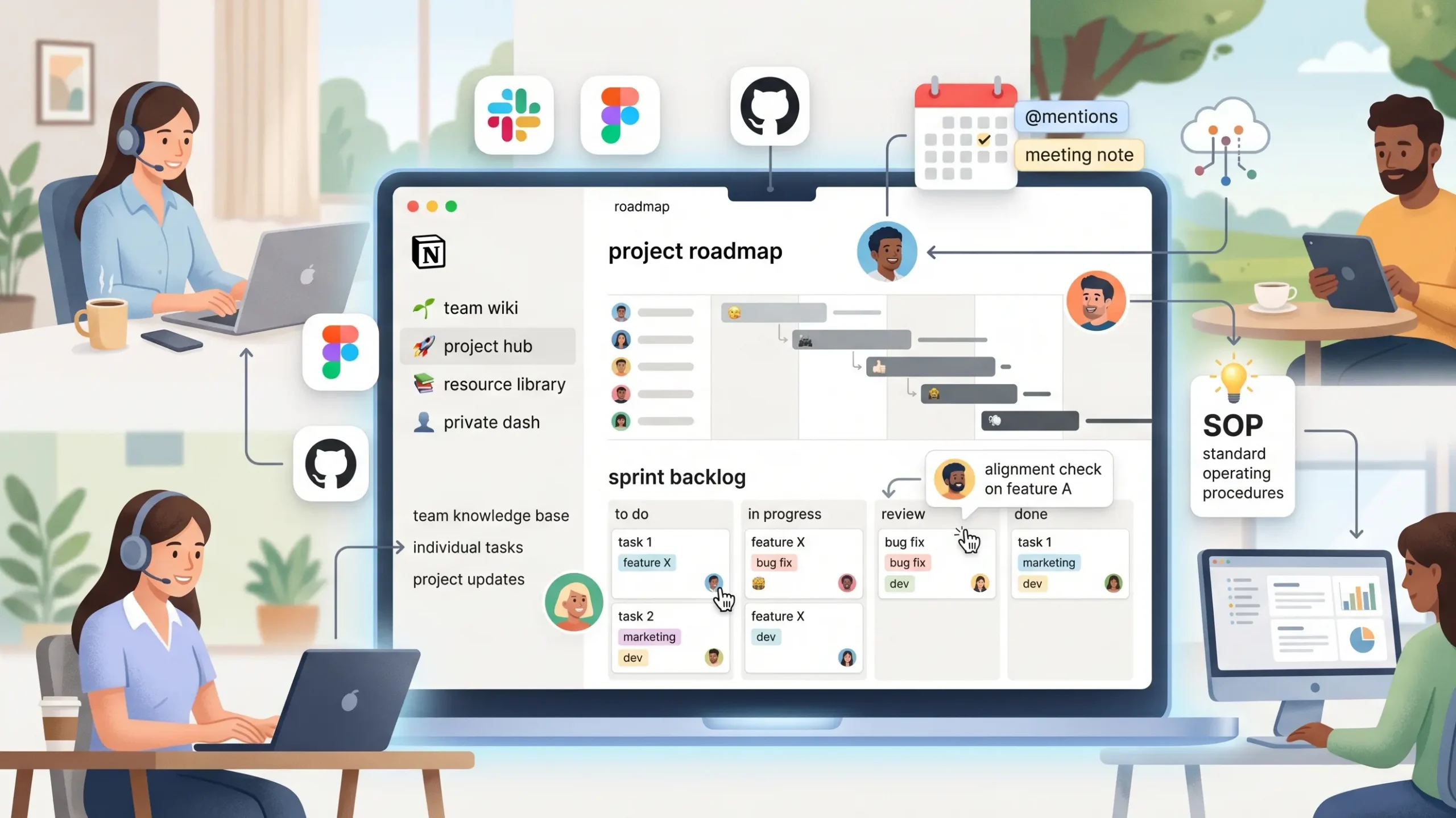
Remote work thrives on clarity, but project details often end up scattered across chat apps and lost in email threads. This fragmentation is a major productivity killer. Notion offers a solution by providing a flexible canvas to build a bespoke operating system for your business.
This guide outlines a professional blueprint for designing workflows that increase transparency, streamline team communication, and scale effectively.
1. Building your digital headquarters
A functional workspace requires a logical hierarchy. To prevent information silos, your architecture should be divided into three distinct layers:
The institutional memory (company wiki)
This is your team’s central source of truth. It contains high-level documentation that rarely changes:
- mission and vision: aligning every hire on the company’s core objectives.
- standard operating procedures (SOPs): detailed playbooks for recurring tasks to ensure quality.
- employee handbook: a central hub for onboarding, benefits, and remote work policies.
The execution layer (project hub)
This is the dynamic part of your workspace. Use linked databases to track work from a macro level down to daily tasks:
- roadmaps: long-term planning visualized through timeline views.
- sprint backlogs: granular action items for development or creative cycles.
- resource libraries: centralized assets like brand files, copy decks, or research notes.
Individual focus (private dashboards)
Context switching destroys focus. Use the “self-referential filter” in your templates to create personal dashboards. This allows employees to see only the tasks, meetings, and deadlines assigned specifically to them.
2. Transforming databases into workflow engines
To maximize efficiency, you must move beyond simple tables and leverage relational features. This connects your data into a cohesive web of information:
- relational links: connecting a “meeting note” to a specific “project” allows anyone to see the history of decisions in context.
- progress rollups: automatically calculating the completion percentage of a project based on its sub-tasks provides real-time status updates.
- status properties: using defined stages like backlog, in review, and completed eliminates the need for repetitive “status check” meetings.
3. Moving toward asynchronous meetings
Meetings are often the most expensive hours for a distributed team. Use these strategies to make them more productive:
- collaborative agendas: every meeting entry in your database should allow members to add talking points 24 hours in advance. If a point is resolved in the comments, the meeting is shortened.
- decision logs: documenting results in real-time ensures that team members who couldn’t attend remain aligned.
- mention-based tasks: use @mentions within notes to assign action items that sync directly to an individual’s dashboard.
4. Automation and ecosystem integration
A high-performing workspace requires minimal manual maintenance. Leverage these advanced features:
- synced blocks: place project deadlines or mission statements in a synced block to ensure that an update made in one place is reflected across every page in the workspace.
- external integrations: connect tools like slack, github, or figma. This allows technical updates to automatically update database properties, keeping non-technical stakeholders informed without manual entry.
FAQ
Yes. By utilizing kanban boards, timeline views, and custom database properties, it provides the same functionality while keeping your documentation and tasks in one place.
The most effective way is the teamspace approach. You can create dedicated areas for different departments with granular permissions while maintaining a shared core for company-wide info.
Appoint a workspace owner to oversee the structure. Their job is to enforce tagging standards and regularly archive outdated pages to keep search results relevant.